Choose how a variant reaches its state
Use real setup events when a variant should prove behaviour. Use a db seed or subscription pins when you need a state for design work before its event path is convenient or available.
Story labels these inputs so a reviewer can tell what a visible state proves:
| State input | What it establishes |
|---|---|
:real-setup |
Application events ran through the real event pipeline. |
:db-seed |
App-db was seeded directly and checked against registered schemas. Event and coeffect validation were bypassed. |
:sub-overrides |
The view received pinned subscription values. The real subscription logic was not exercised by those pins. |
A variant can use more than one of these inputs. Args and effect or network stubs are separate inputs; they do not lower the fidelity of real setup.
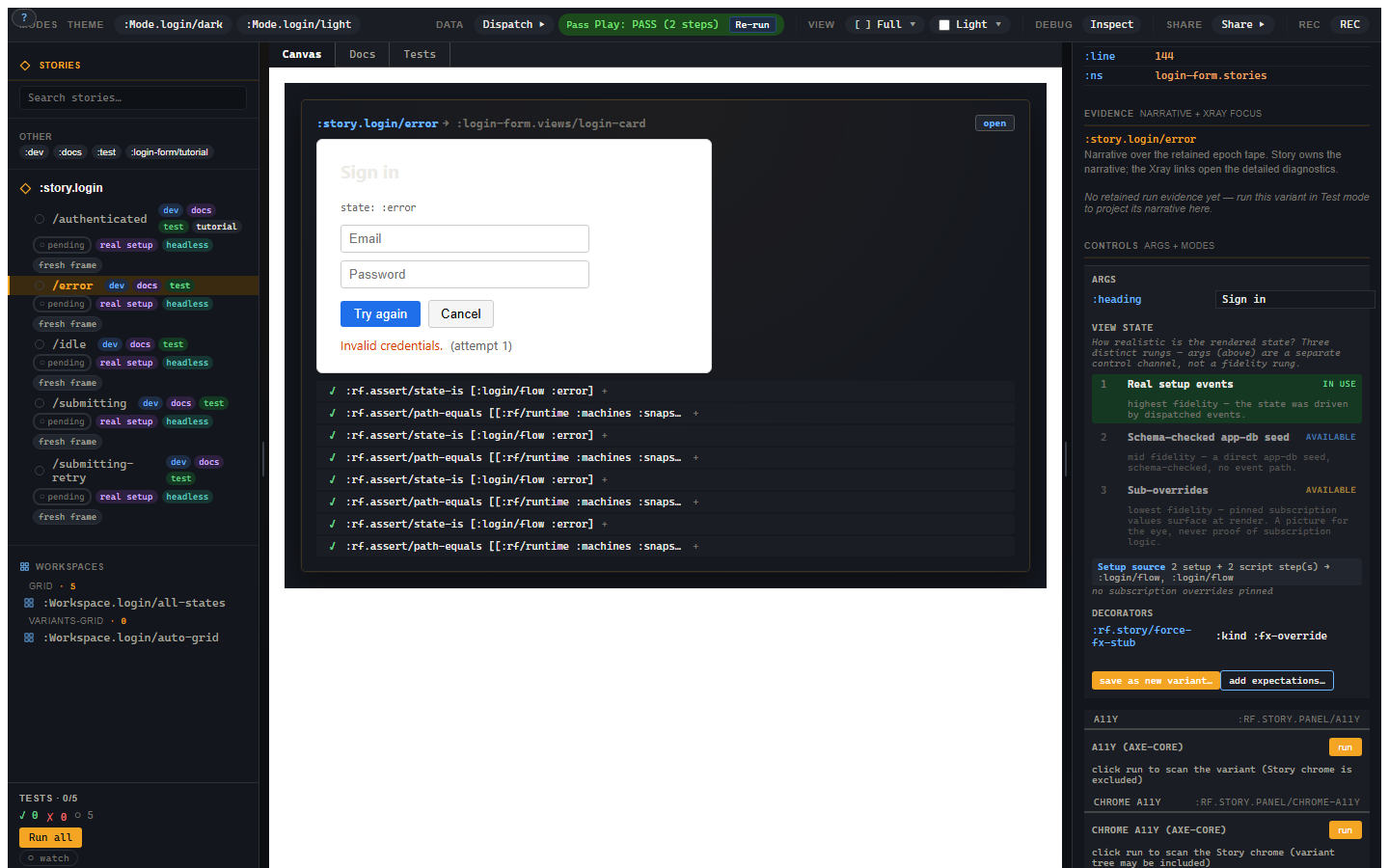
Rung 1: real setup
The login error variant dispatches submit and failure, with HTTP stubbed:
;; Requires [re-frame.story :as rf.story] and login-form.stories.
(rf.story/reg-variant :story.login-form/verified-error
  {:extends :story.login-form/error
   :script [[:assert [:rf.assert/state-is :login/flow :error]]
            [:assert [:rf.assert/sub-equals
                      [:login/error] "Invalid credentials."]]]})
The application reaches :error. The assertions then check the machine
and the subscription computed from it. The stub controls the outside world;
the handlers, transitions and subscriptions still run.
Rung 2: schema-checked app-db seed
A seed writes app-db before setup and the script. Its keys can be top-level keys or path vectors. For example, this inline test demonstrates a login help preference stored directly in app-db:
(rf.story/run
  {:db-seed {[:login-help :message] "Use your work account."}
   :script [[:assert-db [:login-help :message] "Use your work account."]]})
The resolved result is :pass. This tests seeded data; it does not prove
an event can produce that preference. A seed violating a registered app-db
schema fails with :rf.error/story-db-seed-invalid before the script.
Machine snapshots are stored in runtime state, so an app-db seed cannot set the login machine's state. Use real setup for this testbed's machine states. Use a seed in a view variant when the view's state actually lives in app-db.
Rung 3: subscription overrides
To try error presentation while leaving the actual machine idle:
(rf.story/reg-variant :story.login-form/error-painted
  {:extends :story.login-form/idle
   :sub-overrides {[:login/state] :error
                   [:login/error] "Invalid credentials."
                   [:login/attempts] 1}
   :tags #{:dev :docs}})
The view displays the pinned error. The machine remains in the idle state
created by setup. sub-equals reads the real subscription against the
frame's state; it would still see :idle for [:login/state].
This separation lets a picture stay useful without pretending to test logic.
When a subscription declares an output schema, Story checks the pin against
it. An invalid pin raises :rf.error/story-sub-override-invalid.
Pins are a development feature: a release/static build renders real
subscription values instead.
Upgrading fidelity
Replace the painted variant's :extends with the real error scenario,
remove :sub-overrides, and add the two assertions in verified-error
above. Now the same visible state checks the event path and derived message.
View State's upgrade buttons can generate a starting declaration. Fill in its setup or seed and review the resulting state before keeping it. Important behaviour should have explicit assertions; a fidelity label alone is not a test verdict.
Troubleshooting
| Symptom | Cause | Fix |
|---|---|---|
A pin changes the canvas but sub-equals still fails |
Pins apply only to rendering | Reach the expected state with setup, or test the real subscription's actual value. |
:rf.error/story-db-seed-invalid |
Seeded app-db violates a registered schema | Read the violating paths and correct the seed. |
:rf.error/story-sub-override-invalid |
A pin violates its subscription output schema | Use a value the subscription can return. |
| A static catalogue shows a different state | Its variant relied on development-only pins | Use real setup or an app-db seed for published states. |