Inspect and restore earlier state
The bug happened several events ago. Select that earlier event to inspect its state without stopping the app. Use Reset only when you want the app's frame state to change too.
Inspecting a past event
In the standard-epochs example:
- Reload, then run step 5 twice.
- Select the first
:standard-epochs/increment-flowrow. - Open app-db. It shows
:base 2and:derived 4; the live app has already advanced to3and6. - Open Trace. Its records belong to that selected epoch.
- Press » to follow the newest event again.
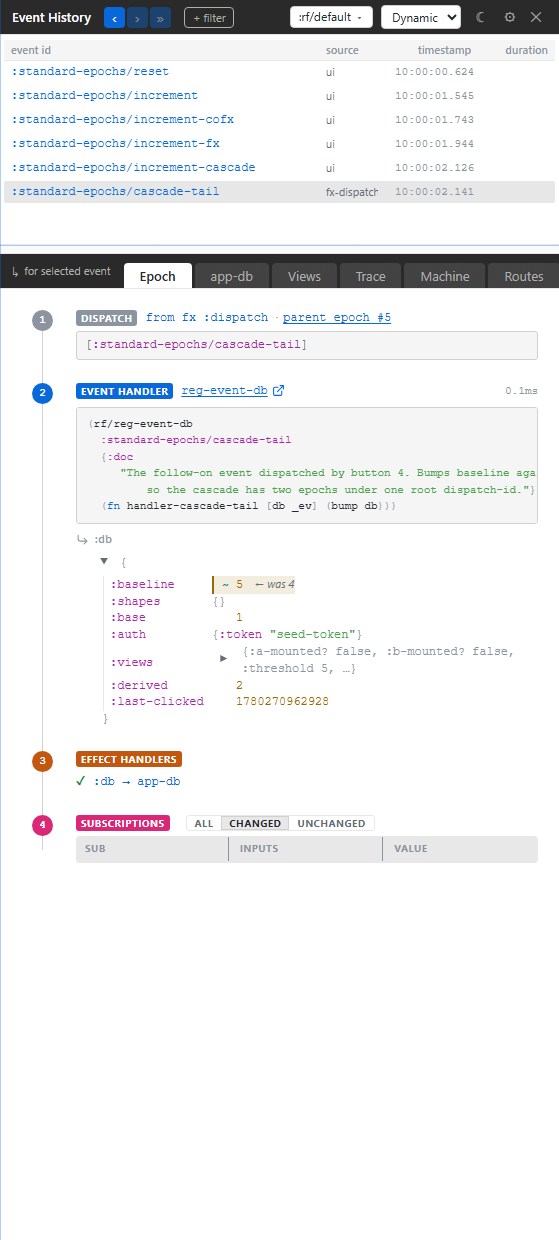
Xray is following when the event panels move to the newest epoch as it arrives, and focused when they stay on a selected event. The newer-events strip (2) also returns to following when clicked. Space pauses or resumes following. Recording continues while you inspect or pause.
Resources, Graph and Frames still show current structure. Routes labels its current-route section separately from the selected epoch's navigation.
Restoring a past epoch
Select the earlier flow event and press Reset ↺ (5). It restores the
frame's recorded state after that event: app-db and the retained runtime state,
including machine snapshots and route state. The flow values are 2 and 4
again. Reset is disabled until an epoch is focused and asks for no confirmation.
Reset does not reverse a server write, un-send a message or rewind browser history. It does not rerun the event's effects. To reproduce an interaction that depends on external replies or time, use controlled inputs in Story or a test.
Retention and failures
Xray defaults to 50 epochs per frame. Settings → General → Epoch history changes the retained count; its slider runs from 5 to 200 in steps of 5. Increasing it preserves more future evidence. It cannot recover an epoch that has already been evicted.
| Message or symptom | Meaning | Action |
|---|---|---|
| “The selected epoch was evicted from the history buffer” | The old snapshot is gone | Select a recent row, or reproduce with a larger history |
| “The selected event settled no epoch” | The selected bundle has no settled snapshot | Inspect the newest completed event; for outside-event errors, enable the ungrouped row |
| “Reset failed — epoch unavailable (see Trace)” | The runtime rejected the restore | Inspect the failure trace; choose a retained successful epoch in a live frame |
| The state restored but an external result remains | That result lives outside the frame snapshot | Recreate the scenario with stubbed effects |
The runtime also rejects incompatible snapshots, such as a machine snapshot
whose definition no longer exists. The restore-epoch!
reference documents the return value
and failure conditions.
From a past epoch to a test
For each event in the reproduction, read DISPATCH and RECORDABLE COEFFECTS in Epoch. Preserve the initial state, the event sequence and the recorded inputs. Replay a bug as a regression test shows how to dispatch that sequence in an isolated frame.