Machine inspector
A state machine did something you did not expect. Select the triggering event to see whether :door/push moved :door/main from :closed to :open, and ran :clear-hold on the way out and :count-open on the way in. Compare the data each action wrote. Dynamic mode shows what one event did to a machine; Static mode shows every machine's definition.
Try a transition
Open http://localhost:8033, choose the door machine in the example's rail,
and step until :door/push runs. The example gives each machine its own
frame, so choosing a track also changes the frame Xray observes. Select the
push event and open Machine. Compare the exit action, transition and
entry action before looking at the chart.
Dynamic Machine
The Dynamic Machine tab shows the one machine the focused event targeted. A header line (1 in the screenshot) names the trigger event, the machine and the state it was in, and numbered rows follow in the order the machine ran them, the same rows the Epoch tab shows under EVENT HANDLER:
- GUARD for each guard the machine checked;
- ACTION for each action, labelled by when it ran, such as EXIT ACTION or ENTRY ACTION, with the data it produced;
- TRANSITION with the state and tags before and after (2);
- ALWAYS for an eventless
:alwaystransition, and TIMER for an:aftertimer; - START when the event created the machine, and NO OP when the machine had no transition for the event.
When a destroyed child actor aborts work it had in flight, that cancellation cascade is in Trace, behind the ⟲ button (Cancellation cascades).
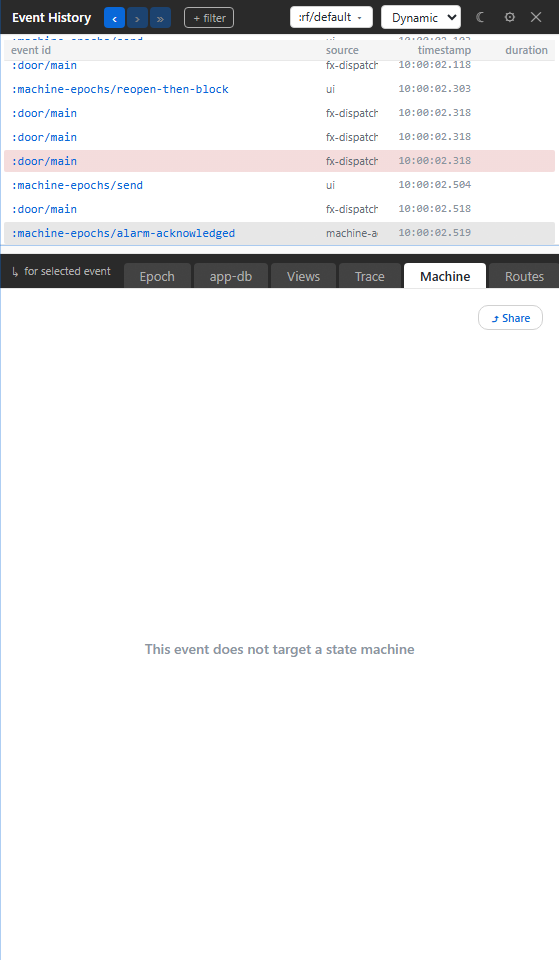
If the focused event did not target a machine, the tab reads only "This event does not target a state machine".
Below the rows, the machine's chart marks the state it left with a dashed outline and the state it entered in bold, and draws a countdown ring on each state with an :after timer running. The chart has its own zoom, pan and fit controls. ◀ Prev and Next ▶ (3) step to the previous and next event that touched the same machine. An app that registers no machines reads "No machines registered.", and a machine whose definition cannot be read shows "No introspectable definition — chart cannot render." in place of the chart.
Static machines
Static Machines answers a different question: which machines are registered, and what shape do they have? Use it to browse machine ids, read their states and transitions, and try a definition out without touching your app.
Pick a machine to see its source link, how many states it has and how many instances are live, and four views of it:
- Topology draws the chart. Copy Mermaid copies it as a Mermaid diagram.
- Sim runs a copy of the definition, starting from its initial state, and never touches your app. Type an event and an optional EDN payload and press Step ▶︎, or click a transition on the chart. A failed guard shows inline and the state stays put. A timer on the current state can be fired by hand, since the simulator keeps no clock. Reset returns to the initial state and Exit Sim leaves.
- Instances jumps to the machine's live instances in Dynamic mode.
- Cascade is disabled here, because cancellation cascades belong to Dynamic mode.
A machine debugging loop
When a machine behaves wrongly:
- Reproduce the action.
- Click the event in the event list.
- Open Dynamic Machine and read the transition.
- If the transition is surprising, switch to Static Machines and read the definition.
- Go back to Epoch or Trace for the exact guard and action records.
Start from the event that moved the machine, not from its current state: the current state tells you where the machine is, and only the event tells you how it got there.
Troubleshooting
| Symptom | Meaning | Action |
|---|---|---|
| “This event does not target a state machine” | The selected event did not run a machine | Select the machine event, not the parent runner event |
| NO OP | No eligible transition was taken | Check the current state and event id, then inspect guards |
| A guard failed | Its predicate rejected this transition | Read its input data and source; compare the intended condition |
| “No introspectable definition” | The chart cannot read the definition | Inspect retained action/transition evidence and the machine registration |
| The simulator reports invalid EDN | The event payload cannot be read | Correct the payload before stepping; keep real app effects out of the simulation |