Explain a re-render
The state changed correctly, but a view rendered too often or failed to update. Use Views to connect the selected event's state changes to subscriptions and rendered views.
In the standard-epochs example, reload and run step 6 to mount Child A,
then step 7 to change the threshold passed to it as a prop. Select
:standard-epochs/set-threshold and open Views.
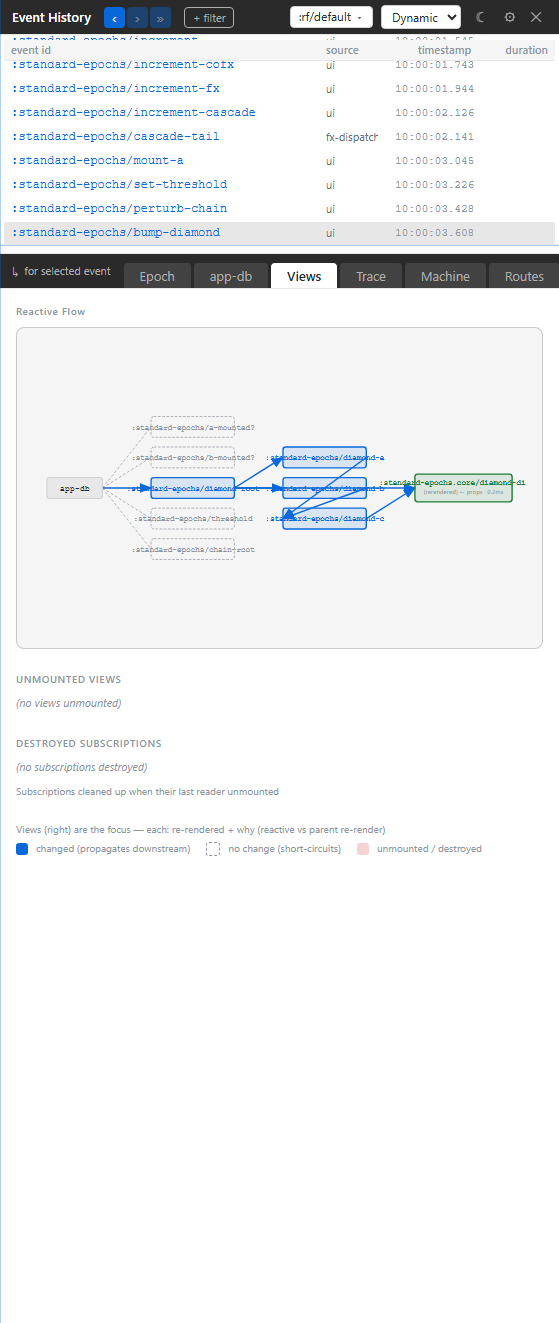
Read from app-db (1) through the subscription (2) to the view (3). Child A
now reads [:standard-epochs/greater-than? 10]; changing the threshold creates
a different subscription query. The view's recorded cause is props:
its parent passed a new threshold. Seeing a subscription in the graph does
not by itself mean that a changed subscription result caused the render.
A view's node gives its render reason and recorded duration. Click a node to open its source, or hover a view to highlight its element in the app.
Compare subscription changes with prop changes
Run step 8 to change Child A's input chain while keeping its threshold prop unchanged. Its subscription recomputes and the view reacts to its changed value. Compare this render cause with step 7. Then run step 10 to mount Child B and step 11 to change its prop. Child B reads no subscriptions; its render is caused by the prop change.
This distinction determines the fix. If a subscription does unnecessary work, inspect its inputs and result. If the parent keeps changing props, inspect the values it passes. A short render duration alone does not explain why a view rendered.
Run step 9 to unmount Child A. Unmounted Views and Destroyed Subscriptions, below the graph, show the cleanup retained in that epoch. An unmount is different evidence from a view that simply did not render.
Troubleshooting
| Symptom | Check | Action |
|---|---|---|
| “No subs subscribed to changed paths · no views re-rendered” | This event changed no value a mounted view reads | Choose the event that changes the relevant input |
| A subscription ran but its view did not render | Its result may still compare equal | Read the subscription result before changing the view |
| The displayed graph describes an earlier interaction | A past epoch is focused | Select the new event or follow with » |
| A timing spike seems to prove a slow paint | View evidence does not measure React commit or browser paint | Record a browser performance trace |
Settings → General → Show unchanged subscriptions includes recomputations whose results stayed equal. Use it when investigating wasted computation; leave it off when you only need the changes that propagated.
For Fresco read sets and per-boundary pressure, use the Fresco tab. For dependencies that exist without this event running, use Graph.